Quotes, Invoices, and Email Signatures for Freelancers
Stop retyping the same business details on every document. Fill your profile once, reuse it on every quote, invoice, and email signature.
Free to use. No credit card required.
Loved by freelancers and creative studios
How it works
Fill it in once. Use it on every client document.
Set up your profile
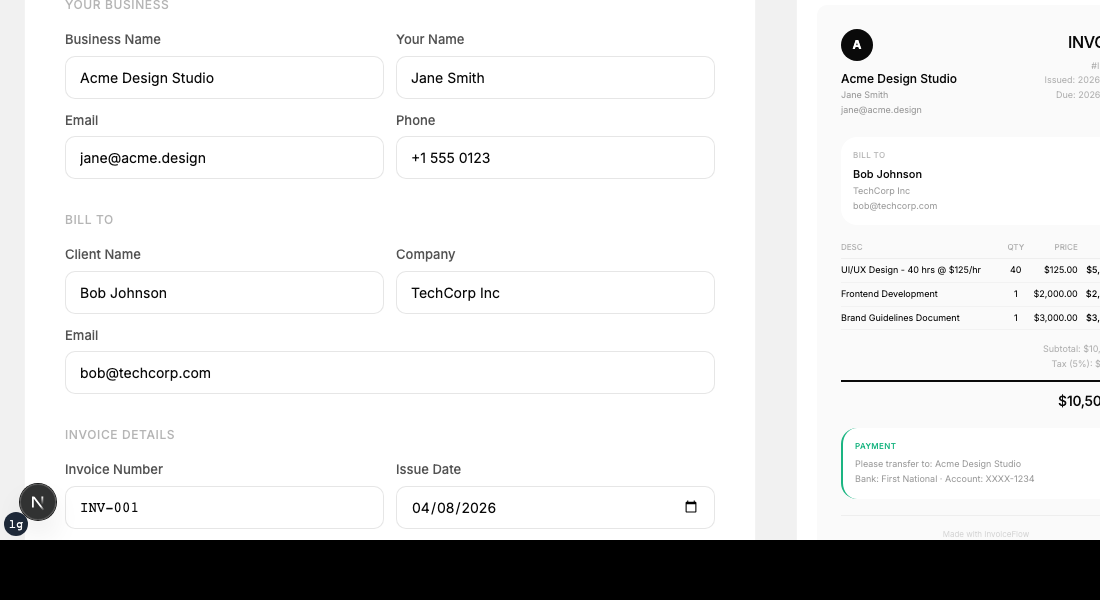
Add your business name, logo, contact details, tax rate, and payment terms. You only do this once.
Create documents
Generate invoices, quotes, and email signatures. Your profile data fills in automatically.
Export and send
Download professional PDFs or copy HTML signatures. Share with clients in seconds.
Three tools. One business profile.
Everything you need to send a quote, create an invoice, and keep your client-facing details consistent.
Free Invoice Generator
FreeProfessional invoices with automatic tax calculation, multiple currencies, and instant PDF export. Your payment terms and bank details fill in automatically from your profile.
Free Quote & Estimate Generator
FreeSend polished quotes to clients. When they confirm, convert the quote to an invoice with one click. All client details, line items, and amounts transfer automatically.
Free Email Signature Generator
FreeGenerate a professional email signature with your logo, contact details, and social links. Copy the HTML and paste into Gmail or Outlook. Uses the same profile.
What freelancers say
It saves time. They save sanity.
"Finally, a tool that doesn't make me re-enter my business info every single time."
"Quote to invoice in one click. This is exactly what I needed."
"The PDF looks more professional than what I was spending 20 minutes making in Google Docs."
Templates make you do the same work twice.
Stop copying the same business details across Google Docs, spreadsheets, and email.
Pricing
Free for getting started. Pro for repeat client work.
- 1 business profile
- 3 saved clients
- 5 PDF exports / month
- All three tools
- Quote → Invoice
- Custom invoice numbers
- Multiple profiles
- Unlimited clients
- Unlimited exports
- No watermark
- Quote → Invoice
- Custom invoice numbers
A few more questions?
We have answers.
Is ScopeQuill free to use?+
Yes. Create invoices, quotes, and email signatures for free. Export up to 5 PDFs per month with a small watermark. Upgrade to Pro for unlimited exports without watermark.
Do I need an account before I start?+
No. Start using any tool immediately. Create a free account when you want to save your business profile and reuse it across documents.
Can I reuse the same business profile across all tools?+
Yes. Fill in your business name, logo, contact details, and payment terms once. They auto-fill on every invoice, quote, and email signature you create.
What is the difference between a quote, estimate, and invoice?+
A quote is a fixed-price commitment for specific services. An estimate is a rough projection for flexible scope. An invoice is a payment request sent after work is delivered. ScopeQuill lets you convert quotes into invoices with one click.
Can I convert a quote into an invoice?+
Yes. With Pro, convert any approved quote to an invoice with one click. Client details, line items, and amounts transfer automatically.
Is my data secure?+
Your data is stored securely on encrypted servers. We never share your business or client information with third parties.
Your next invoice should take 2 minutes, not 20.
Free to use. No credit card required.
Free to use. No credit card required.